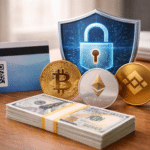
























































Steam នៅតែជាវេទិកាហ្គេមឈានមុខគេមួយរបស់ពិភពលោក ហើយអ្នកលេងកាន់តែច្រើនកំពុងងាកទៅរកជម្រើសទូទាត់ទំនើបៗដូចជា Solana និង Ethereum។.
ជាមួយ CoinsBee វាងាយស្រួលក្នុងការ ទិញកាតអំណោយជាមួយគ្រីបតូ, ប្តូរពួកវាសម្រាប់ឥណទាន Steam, ហើយចាប់ផ្តើមលេងភ្លាមៗ។ វិធីសាស្រ្តដ៏រលូននេះភ្ជាប់រូបិយប័ណ្ណឌីជីថលជាមួយចរន្តសំខាន់ ការលេងហ្គេម, បង្វែរគ្រីបតូរបស់អ្នកទៅជាការកម្សាន្តភ្លាមៗ។.
ចង់ដឹងអំពី របៀបទិញហ្គេមនៅលើ Steam ជាមួយរូបិយប័ណ្ណគ្រីបតូ? ការណែនាំនេះបង្ហាញអ្នកពីរបៀបប្រើ Solana និង Ethereum ដើម្បីចាប់ផ្តើម។.
តើ Solana និង Ethereum ជាអ្វី ហើយតើពួកវាអាចប្រើសម្រាប់ការទិញ Steam យ៉ាងដូចម្តេច?
Solana និង Ethereum គឺជាពីរក្នុងចំណោមអ្វីដែលត្រូវបានទទួលស្គាល់យ៉ាងទូលំទូលាយបំផុត។ cryptocurrencies, នីមួយៗផ្តល់នូវគុណសម្បត្តិខុសៗគ្នា។.
Solana សម្រាប់ការទិញ Steam គឺទាក់ទាញដោយសារតែថ្លៃប្រតិបត្តិការទាប និងពេលវេលាដំណើរការលឿន។ ទន្ទឹមនឹងនេះ Ethereum សម្រាប់ការទិញ Steam ទទួលបានអត្ថប្រយោជន៍ពីប្រព័ន្ធអេកូឡូស៊ីដ៏រឹងមាំ ការគាំទ្រយ៉ាងទូលំទូលាយ និងសុវត្ថិភាព។.
ថូខឹនទាំងពីរអាចត្រូវបានផ្លាស់ប្តូរសម្រាប់ km km km តាមរយៈវេទិកាដែលគួរឱ្យទុកចិត្ត ដោយផ្តល់នូវផ្លូវត្រង់មួយដើម្បីផ្តល់មូលនិធិដល់គណនីហ្គេមរបស់អ្នក។.
ការណែនាំជាជំហានៗ៖ របៀបទិញហ្គេម Steam ជាមួយ Solana
ការទិញហ្គេម Steam ជាមួយ Solana មិនចាំបាច់ស្មុគស្មាញទេ។ នៅលើ CoinsBee ដំណើរការនេះចំណាយពេលត្រឹមតែពីរបីជំហានប៉ុណ្ណោះ ហើយផ្តល់លទ្ធផលភ្លាមៗ៖
- ជ្រើសរើសកាតអំណោយ Steam នៅក្នុងតំបន់ដែលអ្នកពេញចិត្ត;
- ជ្រើសរើស Solana ក្នុងនាមជាអ្នក payment method, ធានាថាគណនីរបស់អ្នកមានទឹកប្រាក់គ្រប់គ្រាន់;
- បញ្ជាក់ប្រតិបត្តិការ;
- ទទួលលេខកូដកាតអំណោយរបស់អ្នកភ្លាមៗតាមអ៊ីមែល;
- ប្តូរលេខកូដនៅលើ Steam ដើម្បីបន្ថែមសមតុល្យទៅក្នុងគណនីរបស់អ្នក។.
ដំណើរការដ៏រលូននេះបង្ហាញពីអត្ថប្រយោជន៍នៃការប្រើប្រាស់ Solana សម្រាប់ការលេងហ្គេមអនឡាញ ដែលអនុញ្ញាតឱ្យអ្នកបំប្លែងគ្រីបតូទៅជាតម្លៃដែលអាចលេងបានក្នុងរយៈពេលប៉ុន្មាននាទី។.
ការណែនាំជាជំហានៗ៖ របៀបទិញហ្គេម Steam ជាមួយ Ethereum
ដំណើរការសម្រាប់ Ethereum គឺស្រដៀងគ្នាខ្លាំងណាស់៖
- km កាក់ប៊ី ហើយស្វែងរកផ្នែកកាតអំណោយ Steam;
- ជ្រើសរើសតម្លៃដែលចង់បាន;
- បង់ប្រាក់ជាមួយ Ethereum ដោយផ្ទាល់ពីកាបូបរបស់អ្នក;
- ទទួលលេខកូដប្តូររបស់អ្នកភ្លាមៗតាមអ៊ីមែល;
- បញ្ចូលលេខកូដទៅក្នុង Steam ដើម្បីបញ្ចូលទឹកប្រាក់ក្នុងគណនីរបស់អ្នក។.
តាមរយៈការប្រើប្រាស់ Ethereum សម្រាប់ការជួញដូរឌីជីថល អ្នកលេងហ្គេមទទួលបានការទូទាត់ប្រាក់ដែលមានសុវត្ថិភាព និងត្រូវបានទទួលយកយ៉ាងទូលំទូលាយ ជាមួយនឹងភាពបត់បែននៅទូទាំងវេទិកាឌីជីថលផ្សេងៗគ្នា។.
Best Crypto Wallets for Storing Solana and Ethereum for Steam Purchases
When considering crypto wallets that support Solana for Steam, options like Phantom and Solflare stand out for their user-friendly interfaces.
For Ethereum, wallets such as MetaMask and Trust Wallet are highly reliable and widely integrated.
A secure wallet ensures you can buy Steam gift cards with confidence and manage your funds effectively.
Pros and Cons of Using Solana and Ethereum for Buying Games on Steam
Pros:
- Fast, borderless transactions;
- Easy access to Steam credit without traditional banking;
- Ability to use CoinsBee to simplify the process.
Cons:
- Potential network fees, especially with Ethereum;
- Market volatility can affect purchase value;
- Steam doesn’t directly accept cryptocurrencies, requiring gift cards as a bridge.
Alternative Ways to Use Solana and Ethereum for Steam Purchases
Beyond purchasing Steam gift cards directly, gamers also explore other methods when using Solana or Ethereum for their accounts.
One common approach is leveraging crypto exchanges or peer-to-peer platforms. For example, players may convert Solana or Ethereum into a stablecoin such as USDT (Tether) before making a purchase. This can help offset market volatility, ensuring the value of the funds doesn’t change significantly during the transaction.
Another approach is researching the best crypto exchange to use Solana for Steam purchases, as fees and availability can vary widely by region. Some exchanges offer lower withdrawal costs or faster settlement times, which can make a noticeable difference for frequent buyers.
In practice, however, many gamers find that using a trusted marketplace like CoinsBee eliminates the extra steps, making gift card purchases straightforward, secure, and instantly redeemable on Steam.
Are There Any Fees or Limitations When Using Solana or Ethereum for Steam?
Fees vary depending on the network. Solana typically has minimal costs, while Ethereum’s fees fluctuate with network demand.
Additionally, regional limits on gift card denominations may apply. While CoinsBee ensures quick delivery, users should always verify local Steam region restrictions before purchase.
Future of Crypto Payments on Steam: What to Expect in the Coming Years
The role of cryptocurrencies in ការលេងហ្គេម continues to evolve. With platforms like CoinsBee offering ways to buy gift cards with crypto, gamers are already benefiting from decentralized payment systems.
In the future, we may see more direct integrations between platforms like Steam and blockchain networks. Until then, Solana and Ethereum remain efficient, practical solutions for digital entertainment.
Final Word
As gaming and digital finance continue to overlap, options like Solana និង Ethereum make it easier than ever to connect your crypto with everyday ការកម្សាន្ត.
Steam may not accept cryptocurrencies directly, but platforms such as កាក់ប៊ី bridge that gap by enabling you to buy gift cards with crypto and redeem them instantly.
Whether you prefer the speed and low fees of Solana or the reliability of Ethereum, both deliver a straightforward path to funding your library.